

How to Make a Wedding Slideshow in 2026: A Simple Guide
Learn how to make a wedding slideshow with guest photos in our 2026 guide. We cover the steps, songs, and timing to create a truly memorable experience.
Your Guide on How to Create a Wedding Slideshow
Your wedding day is a whirlwind of incredible moments, many of which you don't even get to see. Your friends and family capture hundreds of candid, funny, and heartfelt photos from their unique perspectives. Figuring out how to make a wedding slideshow from this scattered collection of digital memories can feel like a huge task, but it's one of the most rewarding post-wedding projects you can do. It's a way to relive the day through the eyes of your loved ones and create something truly special to share.
But the process often starts with a headache. You’re hunting through dozens of text messages, scrolling endlessly on social media, and chasing down guests who promised to email you their pictures. It’s disorganized, the photo quality is often reduced, and it can take the joy out of the process before you even begin.
couple learning how to make a wedding slideshow
The Problem with Old-School Photo Collection
Before you can even think about music and transitions, you face the biggest hurdle: getting all the photos in one place. For years, couples have relied on a patchwork of methods that just don't work well for creating a high-quality slideshow.
Using a wedding hashtag on social media seems like a good idea, but it has its drawbacks. Many of your older relatives might not use social media, and some guests might have private accounts, making their photos invisible to you. Worse, platforms like Instagram and Facebook compress images, which means the photos you download won't look great when projected onto a large screen.
Then there’s the classic group chat or email chain. This quickly becomes a chaotic mess of notifications, duplicate images, and files that are too large to send. You spend more time being a digital traffic controller than a happy newlywed. You deserve a better way to gather these precious moments without the digital clutter and frustration.
The First Step: A Central Photo Hub
The secret to a stress-free slideshow is starting with a single, private, and organized gallery for all your guest photos. When everyone can upload their pictures to one spot, the hardest part of the job is already done for you. This is where a dedicated photo-sharing app becomes your best friend. Instead of chasing people down, you can have every photo—from your cousin's hilarious dance-off video to your grandma's sweet snapshot of the cake—in one beautiful, high-resolution album.
Setting up a central hub is simple. With an app like KnotPix, guests can upload photos directly from their phones. Many couples find that the easiest method is providing a simple QR code for guests to scan. You can learn more about how to collect wedding photos from guests with a QR code and see how it simplifies the entire process. This one small step transforms a chaotic task into an easy and enjoyable experience, giving you the perfect foundation for your project.
How to Make a Wedding Slideshow: A Step-by-Step Guide
Once your photos are neatly collected in one place, you can get to the creative part. Here’s a simple breakdown of the process from start to finish.
Step 1: Curate Your Story
Don't feel obligated to include every single photo. The best slideshows tell a story. Scroll through your gallery and start “hearting” or saving your favorites into a separate folder. Look for a mix of moments:
- The Big Moments: The kiss, the first dance, the cake cutting.
- The Details: Close-ups of the rings, the flowers, the decor.
- The People: Candid shots of guests laughing, hugging, and celebrating.
- The Funny Stuff: Unexpected photobombs, wild dance moves, and silly faces.
- Built-in Software: Most computers come with free software like Photos on Mac or Clipchamp on Windows, which have basic slideshow capabilities.
- Online Tools: Websites like Canva or Animoto offer drag-and-drop templates that make the process very straightforward. They often have libraries of licensed music you can use as well.
- Professional Software: For more control over effects and timing, you could explore programs like Adobe Premiere Rush, but for most couples, a simpler option is more than enough.
- "You Make My Dreams (Come True)" by Hall & Oates
- "Home" by Edward Sharpe & The Magnetic Zeros
- "Happy" by Pharrell Williams
- "Good as Hell" by Lizzo
- "Blinding Lights" by The Weeknd
- "Perfect" by Ed Sheeran
- "All of Me" by John Legend
- "Lover" by Taylor Swift
- "I Am Yours" by Andy Grammer
- "Better Together" by Jack Johnson
- "At Last" by Etta James
- "Can't Help Falling in Love" by Elvis Presley
- "Stand by Me" by Florence + The Machine
- "Your Song" by Elton John
- "Here Comes The Sun" by The Beatles
A good rule of thumb is to aim for about 10-12 photos per minute of music. This keeps the pace engaging without feeling rushed.
Step 2: Choose Your Slideshow Maker for Wedding Creation
You don’t need to be a professional video editor to create a beautiful slideshow. There are plenty of user-friendly tools available.
KnotPix makes this even easier by allowing you to download all your high-resolution photos in one go, ready to be imported into any software you choose.
Step 3: Arrange and Time Your Photos
Most people choose to arrange their photos chronologically, from getting ready to the final send-off. This creates a natural narrative of your day. As you place your photos on the timeline, think about the music. Try to time key photo changes to the beat of the song. For example, a powerful photo of your first kiss could land right as the chorus of your chosen song begins. Don’t make transitions too flashy; a simple cross-dissolve between photos is elegant and keeps the focus on the images themselves.
 slideshow maker for wedding on laptop screen
The Best Wedding Slideshow Songs for 2026
Music is the soul of your slideshow. It sets the tone and transforms a collection of pictures into an emotional journey. Pick a song that is meaningful to you as a couple, or choose a track that fits the overall vibe of your wedding. Here are a few ideas categorized by mood:
Upbeat and Fun
Romantic and Sweet
Timeless and Nostalgic
When to Play Your Slideshow for the Wedding
Timing is everything. You've put in the effort to create this beautiful tribute, so you want to show it when guests are most receptive. Here are a few popular options:
1. During the Cocktail Hour: You can have the slideshow playing on a loop on a screen in the cocktail area. It’s a great conversation starter and gives guests something to enjoy while they mingle. 2. During Dinner: This is a fantastic option as you have a captive audience. Playing it while guests are eating provides lovely background entertainment without interrupting the flow of the evening. 3. As a Featured Event: Some couples choose to make the slideshow a main event, gathering everyone’s attention right after the speeches. The MC can introduce it, the lights can be dimmed, and it becomes a shared, emotional moment for everyone in the room.
For an even more engaging experience, some venues and tech setups allow for a live wedding slideshow from guest photos, where pictures appear on screen shortly after guests take them. It’s a dynamic and fun way to see the day unfold in real time.
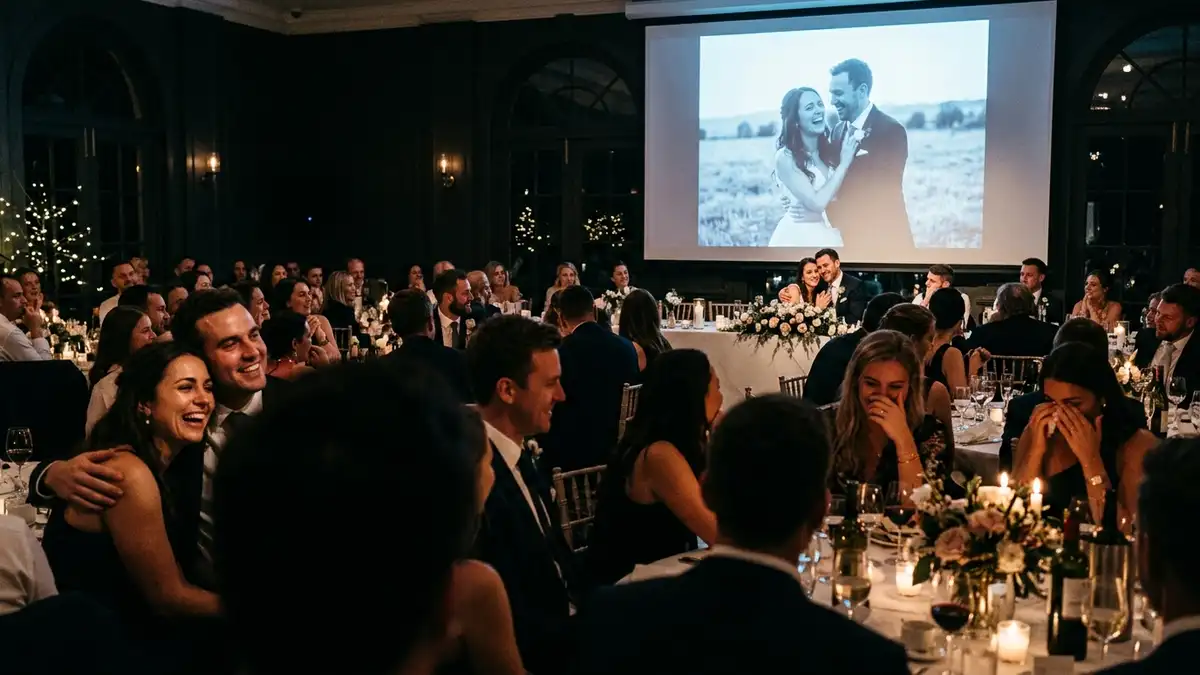 guests watching wedding slideshow at reception
Frequently Asked Questions
How long should a wedding slideshow be?
The ideal length for a wedding slideshow is between 3 to 7 minutes. This is long enough to include plenty of great photos without losing your guests' attention. Typically, this equates to one or two songs.
Can I make a slideshow on my phone?
Yes, you absolutely can! Many apps like CapCut, InShot, or even the built-in photo apps on iOS and Android have powerful video editing features. It's a great option for creating a slideshow quickly and easily.
How many photos should be in a 5-minute slideshow?
For a 5-minute slideshow, a good number is between 50 and 60 photos. This allows each photo to be on screen for about 5 seconds, giving guests enough time to see and appreciate it before the next one appears.
Should we include videos from guests?
Including short video clips from guests can add a wonderful, dynamic element to your slideshow. A 5-10 second clip of the dance floor or guests cheering can break up the still images nicely. Just be sure to keep the clips short to maintain the pace.
Creating a slideshow from your guests' photos is a beautiful way to bring your wedding memories to life. By starting with an easy collection method and following these simple steps, you can create a keepsake that you, your family, and your friends will treasure for years to come.
Try KnotPix free at knotpix.com — takes 2 minutes to set up