
How to Create a Shared Photo Album for Your Wedding (The Ultimate 2024 Guide)
Struggling to collect guest photos? Learn how to create a shared photo album for your wedding! Our ultimate guide covers the best apps and easy steps.
Your wedding day will be a beautiful, chaotic, wonderful blur. While your professional photographer will capture the big moments stunningly, what about the hundreds of other little memories? The goofy selfies, the behind-the-scenes giggles, your cousin's incredible dance moves? That’s where a shared photo album for wedding memories becomes your best friend. Creating a central, digital space for everyone to drop their photos and videos is no longer a 'nice-to-have'—it's an essential part of reliving your special day from every possible angle. Let's walk through exactly how to do it, the easy way.
Why You Absolutely Need a Shared Photo Album for Your Wedding
Think about it. Every single guest at your wedding has a high-quality camera right in their pocket. They’ll capture moments your photographer might miss—the view from their table, a tearful hug between old friends, the flower girl sneaking a cupcake. Without a plan, those precious photos will live and die on individual camera rolls, lost to the digital void.
A dedicated shared album solves this beautifully.
See Your Day Through Their Eyes
Your perspective on your wedding day is unique, but so is everyone else's. A shared album gives you a 360-degree view of the celebration. You get to see the candid, unfiltered joy on people's faces, the little inside jokes, and the pure fun of the party from dozens of different viewpoints. It’s like having a hundred extra photographers, all capturing the day with love.
One Place for Everything
Forget the post-wedding hassle of texting 150 people individually, begging for their pictures. Forget trying to piece together a story from a messy social media hashtag feed filled with blurry or unrelated posts. A central album means every photo and video from your wedding lives in one organized, easy-to-access location. It’s simple for you, and it’s simple for your guests.
Instant Gratification
You don’t have to wait 6-8 weeks for your professional photos to start reliving the memories. Guests can start uploading photos to your shared album during the reception! You can wake up the morning after your wedding, scroll through a gallery of amazing moments, and keep the celebration going.
High-Quality Memories
Instagram and Facebook are great, but they compress photos, turning your beautiful memories into pixelated versions of themselves. A proper shared photo album for wedding guests, like KnotPix, allows for high-resolution uploads. This means you can download the photos and print them for your physical album or a gallery wall without losing any quality.
Choosing the Right Platform for Your Guest Photos
You have a few options when it comes to collecting guest photos, but they are not all created equal. Let's break down the pros and cons.
The Hashtag Method
Creating a unique wedding hashtag is fun for social media, but it's a terrible way to actually collect photos.
- Cons: Photos are public, image quality is heavily compressed, you can't easily download all the photos in one go, and not every guest uses (or wants to post on) social media. Many photos will get missed.
The Cloud Drive Method (Google Photos, Dropbox, etc.)
- Setting up a shared folder on a cloud service seems logical, but it can be surprisingly clumsy for a large event.
- Cons: It often requires guests to have an account or download an app they don't normally use. The interface isn't designed for events, making it confusing for less tech-savvy guests. Permissions can get messy, and it feels more like a file transfer than a celebratory album.
The Dedicated Wedding Photo Sharing App (The Clear Winner)
- This is where apps like KnotPix shine. They are purpose-built for one thing: making it incredibly easy to collect and share wedding photos.
Ultra-Simple Access:
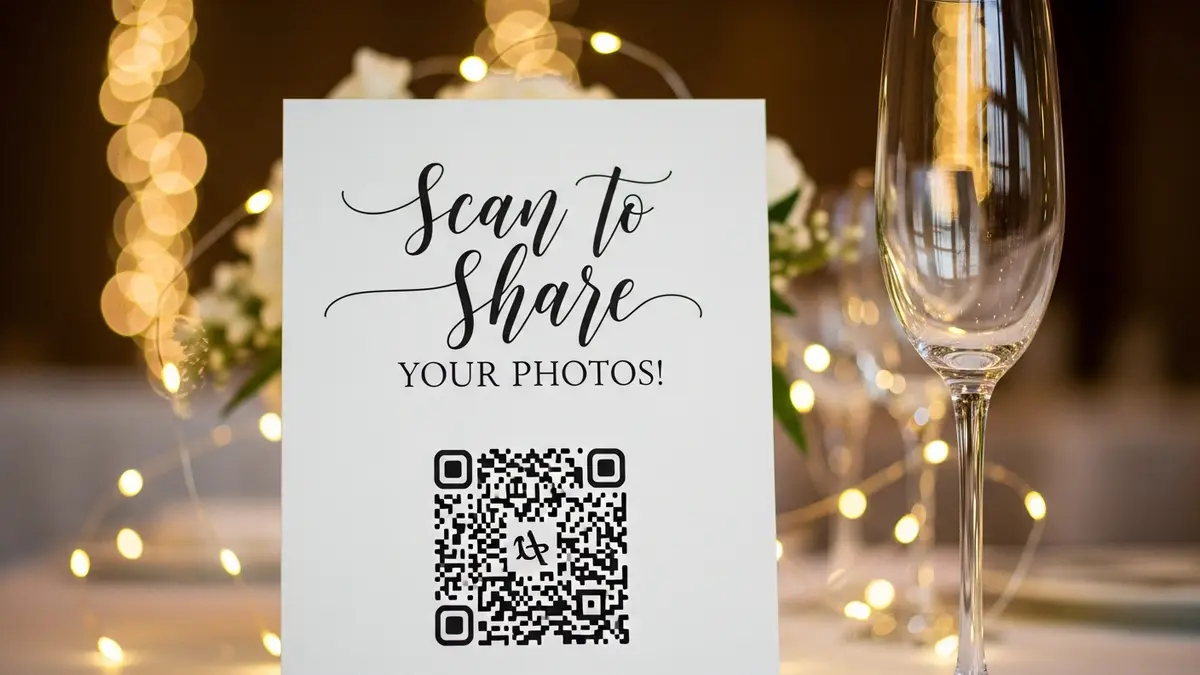
- A unique link and a QR code for wedding photos mean guests can join with a single scan—no app download or login required. *
Privacy First:
- Your album is completely private. Only people with your unique link can view, upload, or download photos. *
High-Resolution:
- Guests can upload full-quality photos and videos, preserving your memories perfectly. *
Unlimited Everything:
- No worrying about running out of space. Let your guests upload as much as they want. *
Live Slideshow:
- The best apps offer a live slideshow feature that can play on a projector during your reception, adding a fun, interactive element to your party.
How to Get Guests to Actually Use Your Shared Photo Album
Setting up the album is the easy part. The real secret to success is communication. You need to make it incredibly obvious and easy for your guests to participate. Here’s your game plan for getting an album full of amazing memories.
1. Announce it Early
Don't wait until the wedding day. Start planting the seed early!
- Wedding Website: Create a dedicated page or section on your wedding website with the link and QR code to your KnotPix album. Title it something like 'Share Your Photos!' or 'Our Photo Album.'
- Invitations: While you don't need to put it on the main invitation, consider including a small details card with the QR code and a short, sweet message like, "Capture the love! Share your photos and videos from our day with us here."
2. Make it Visible at the Wedding
This is the most important step. People are busy celebrating, so you need to put the instructions right in front of them. Repetition is key!
- A Welcome Sign: Have a beautiful sign right at the entrance to your ceremony or reception with the QR code displayed prominently.
- Table Cards: Place small, elegant cards on every single table. This is the most effective method. While guests are sitting and chatting, they'll see the card and can scan the code right from their seat.
- Bar Signage: Everyone visits the bar! A small, framed sign next to the signature cocktails is a perfect, high-traffic spot.
- The DJ/MC Announcement: Ask your DJ or MC to make a quick, fun announcement after the ceremony or during dinner. Something like, "The happy couple would love to see the wedding through your eyes! Please use the QR code on your table to share any photos you take tonight."
3. Send a Final Reminder
- Your wedding day is a whirlwind, and some guests might forget to upload their photos in the moment. A gentle nudge afterward works wonders.
- The Thank You Email: When you send out your thank you notes or a general thank you email, include the link to the shared album one last time. Phrase it like, "The party's not over! Relive the memories and add your favorite photos to our shared album here. We can't wait to see them!"
By making it simple and reminding guests multiple times, you’ll ensure your album is packed with photos from the people you love. 
FAQ: Your Shared Photo Album for Wedding Questions, Answered!
Is it hard for non-tech-savvy guests to use?
Not at all! That's the beauty of using a QR code-based system like KnotPix. If they can open their phone's camera, they can access the album. There are no apps to download or passwords to remember. It's designed to be foolproof for everyone, from your teenage cousin to your great-aunt.
Can I download all the photos in high resolution?
Absolutely. With a dedicated service, you should have the ability to download individual photos or the entire album as a single .zip file in its original, high-resolution quality. This is perfect for printing and creating physical keepsakes.
How private is the album?
Your privacy is paramount. Unlike a social media hashtag, your KnotPix album is not indexed by search engines and is only accessible to those you share your unique link or QR code with. You have full control over who sees your photos.
How long will the photos be available?
With KnotPix, your photos are stored securely and are available for at least a year, with options to extend storage. You'll have plenty of time to download, share, and enjoy them without rushing.
Your Complete Wedding Story Awaits
Your wedding is more than just a single day; it’s a collection of a thousand tiny, perfect moments. Your professional photos will tell one part of that story, but the candid, joyful, and hilarious photos from your guests will complete it.
Creating a shared photo album for your wedding isn’t just another task on your checklist—it's an investment in your memories. It’s a gift to your future self, allowing you to instantly transport back to the dance floor, the dinner table, and the heart of your celebration.
Stop worrying about how you'll collect wedding photos from guests. Make it simple, make it fun, and make it happen. Create your free KnotPix album today and get ready to see your wedding day in a whole new way.