

Honest WedShoots Review 2026: The Pros & Cons
Planning to use WedShoots? Our honest 2026 WedShoots review covers the pros, cons, and key features that might make you reconsider. Find a better way to collect photos.
You’re deep into wedding planning for 2026, and a crucial question pops up: How will we get all the amazing photos our guests take? In your search, you've likely come across the WedShoots app, a popular tool from the WeddingWire family. This detailed wedshoots review will give you an honest look at how it works, where it shines, and where it falls frustratingly short for modern couples.
Getting every candid moment from your friends and family is priceless. These are the behind-the-scenes shots your professional photographer might miss—the laughter, the spontaneous group hugs, the questionable dance moves. But the method you choose to collect them can either be a simple joy or a major headache for everyone involved. Let's explore whether WedShoots is the right fit for you.
How Does the WedShoots App Work?
At its core, the wedshoots app is a photo-sharing platform designed specifically for weddings. It’s owned by WeddingWire, a massive wedding planning website, so it's often promoted to couples using their other services. The process is straightforward, at least on paper.
First, the couple creates a wedding album within the app and receives a unique code. They then share this code with their guests—on invitations, signs at the wedding, or by word of mouth. For a guest to share photos, they must:
1. Go to their phone's app store (Apple App Store or Google Play). 2. Search for and download the WedShoots app. 3. Install the app and create an account or sign in. 4. Enter the couple's unique wedding code to join the album. 5. Select photos from their camera roll to upload or take new ones through the app.
Once photos are uploaded, they appear in the shared album for the couple and all other guests to see. WedShoots also includes a live slideshow feature, where guest photos can be projected onto a screen in real-time during the reception. It's a nice idea for engaging guests, but the success of it depends entirely on how many people actually manage to get the app working.
A Balanced and Honest WedShoots Review
So, is it the right tool for you? The answer depends on what you prioritize. WedShoots has one major advantage: it's free. For couples on a tight budget, this can be very appealing. However, that 'free' price tag comes with some significant trade-offs that are worth considering.
The Pros
- It's Free: There is no direct cost to create an album and invite guests. This is, without a doubt, its biggest selling point.
- Integration with WeddingWire: If you're already using WeddingWire for your wedding website or planning checklists, it can feel convenient to use a tool from the same company.
The Cons: Where It Falls Short
This is where things get complicated. Many couples who use WedShoots find the experience isn't as smooth as they hoped. The problems often stem from one fundamental requirement.
The App-Only Barrier: The biggest drawback is that every single guest who wants to contribute must download an app. This might not sound like a big deal, but in practice, it's a huge point of friction. Think about your guest list: your grandma, your uncle who isn't tech-savvy, your friend with a phone constantly out of storage space. Forcing them to go through a multi-step download and setup process is a big ask. Many will simply give up, and you'll miss out on their photos.
Photo Quality Concerns: Many users report that WedShoots compresses photos to save server space. This means the beautiful, high-resolution shot your friend took on their new iPhone might end up looking grainy and pixelated in your album. When you want to print these memories, you’ll realize the quality just isn't there.
Clunky User Experience: The app's interface can feel dated and less intuitive than modern apps. Guests may struggle to navigate it, and couples sometimes find downloading all their photos to be a cumbersome process.
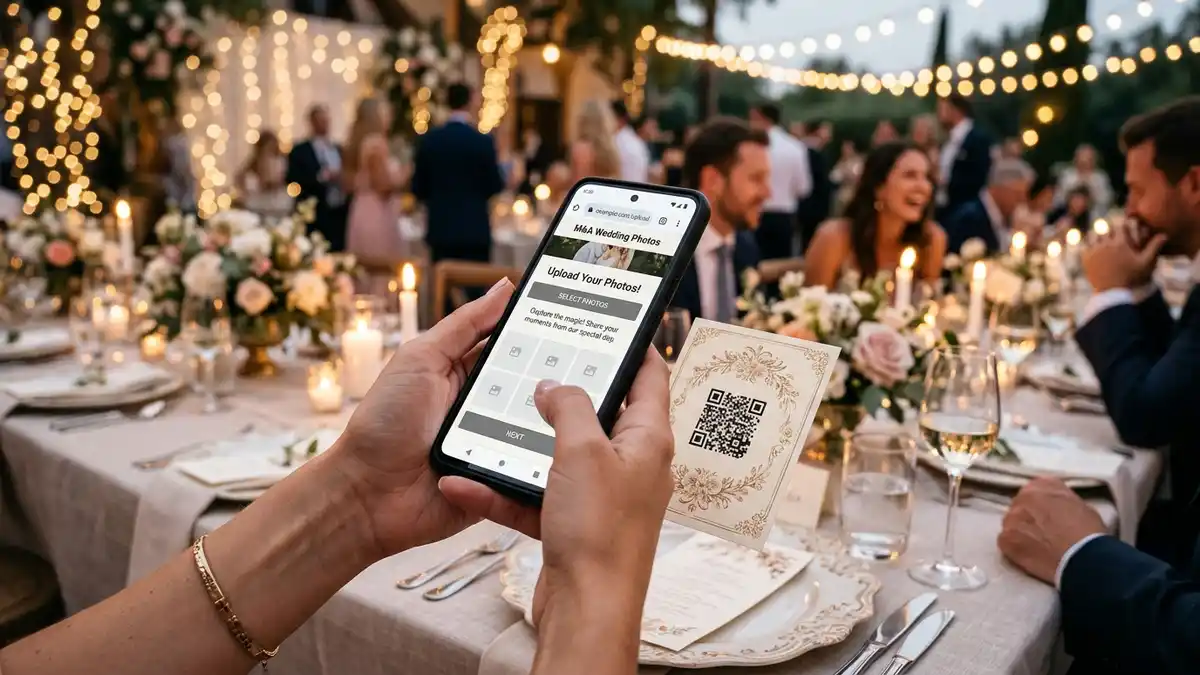
No Easy QR Code Access: In 2026, guests are used to the simplicity of QR codes. The best photo-sharing experiences allow guests to simply scan a code and upload photos directly through their web browser—no app needed. WedShoots doesn't offer this, sticking to its rigid app-download model. Exploring how to use a QR code for wedding photos can reveal much simpler methods.
Your WedShoots Album: What to Expect
If your guests successfully navigate the app download and upload process, you'll have a central gallery of their photos. The final wedshoots album is a digital collection viewable within the app. You can scroll through the photos, see who uploaded them, and 'like' them.
However, getting your photos out of the app can be another challenge. You often have to download them one by one or in a compressed ZIP file. The organization can be chaotic, and you might spend hours sorting through everything. Furthermore, the album exists only within their ecosystem. It’s not a beautiful, shareable gallery you can easily send to family members who weren’t there or who didn't download the app.
Essentially, the album does its job at a basic level, but it lacks the elegance, quality, and ease of use that most couples are looking for. The focus is on getting you into the WeddingWire ecosystem, not necessarily on giving you the best possible experience with your precious memories.
What to Look For in Wedding Photo Sharing Apps
When evaluating different wedding photo sharing apps, it's helpful to know what separates the good from the frustrating. The ideal solution in 2026 should be effortless for everyone.
Here’s what you should look for:
- No App Required for Guests: This is the most important feature. A service that uses a QR code or a simple link to a web uploader will get you exponentially more photos. It respects your guests' time and tech-comfort levels.
- Full-Resolution Downloads: Your guest photos are irreplaceable. You should be able to download every single image in its original, high-resolution format without any compression.
- Simple, Modern Interface: The platform should be clean, fast, and easy for both you and your guests to use. Uploading and downloading should take just a few clicks.
- Privacy and Ownership: You should have full control over your photos. Read the terms of service to ensure you retain ownership and the company isn't using your data in ways you're not comfortable with.
- Useful Features: Look for things like video uploads, a live slideshow that actually works, and easy ways to organize and share your final gallery.
When you start comparing options, you'll see that the best wedding photo sharing apps are the ones that focus on the user experience above all else.
Exploring WedShoots Alternatives for 2026
Given the drawbacks, many couples find themselves searching for wedshoots alternatives. The good news is there are fantastic options available that solve the very problems WedShoots creates.
KnotPix is designed from the ground up to be the easiest and most effective way to collect wedding photos. Here’s how it compares:
- No App for Guests, Ever: KnotPix uses a simple QR code and a private link. Guests scan the code, and it opens their web browser to a beautifully simple upload page. They can upload photos in seconds without downloading anything or creating an account.
- Original Quality Guaranteed: We never, ever compress your photos. You get every image in its original, full-resolution glory, perfect for printing and cherishing forever.
- Elegant and Simple: The interface is modern, clean, and incredibly user-friendly. Setting up your album takes two minutes, and guests instinctively know how to use it.
- Total Privacy: Your photos are yours. They are stored securely, and you have complete control over who sees them. No complicated terms of service, no data sharing.
While other alternatives exist, many fall into the same trap as WedShoots by requiring guest app downloads or having clunky interfaces. KnotPix was built specifically to avoid these frustrations, ensuring you get more photos with less hassle for everyone involved.

Frequently Asked Questions
Is WedShoots really free?
Yes, the WedShoots app is free to use. However, this comes with non-monetary costs, such as requiring guests to download an app, potential photo compression, and being part of a larger data-focused wedding platform.
Do my guests have to download an app for WedShoots?
Yes, they do. This is the only way for guests to upload photos to your album, which can be a significant barrier for many people and may result in you receiving fewer photos than you hoped for.
Can I get full-quality photos from WedShoots?
Many users have reported that the photos they download from their WedShoots album are compressed and of lower quality than the originals. If printing photos is important to you, this is a major factor to consider.
What's a better alternative to WedShoots?
For a smoother experience, alternatives like KnotPix are a great choice. KnotPix offers QR code and link-based uploading directly from a web browser, so guests don't need an app. It also guarantees full-resolution photo downloads.
WedShoots is a tool that exists, and it’s free. But your wedding memories are worth more than just 'free'. They're worth preserving in the best quality possible, and the process of collecting them should be a joy, not a chore. While this WedShoots review shows it can work in theory, the practical hurdles often leave couples disappointed with the results.
For your 2026 wedding, choose a solution that puts you and your guests first—one that is simple, elegant, and respects the quality of your memories.
Try KnotPix free at knotpix.com — takes 2 minutes to set up